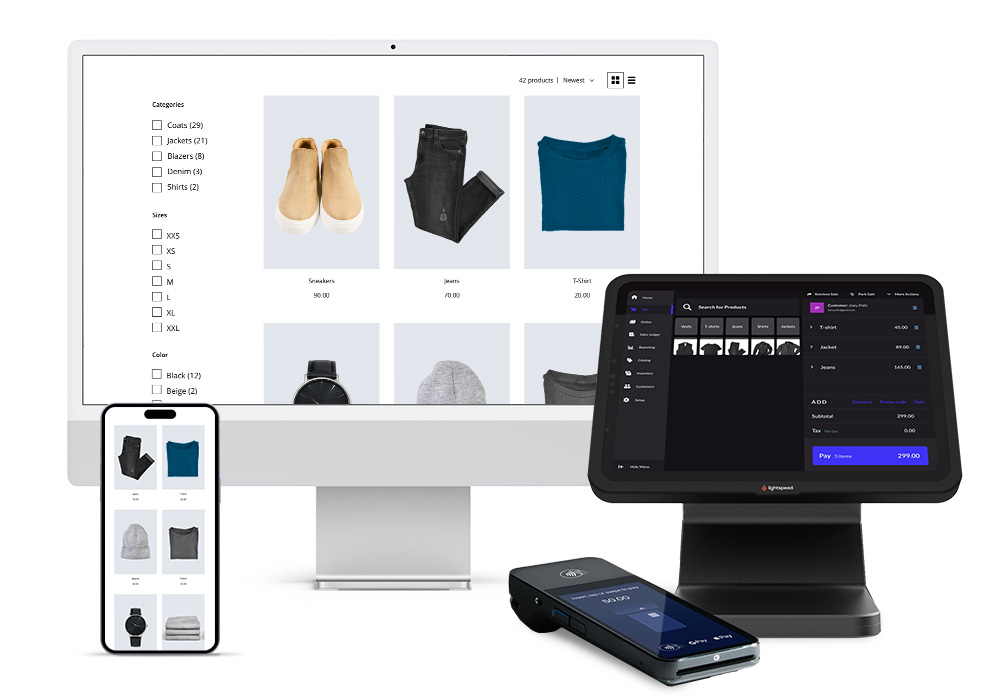
In today’s business world, efficiency isn’t optional—it’s essential. For small and medium-sized businesses, maintaining accurate inventory control can mean the difference between consistent profits and unexpected losses. Fortunately, free inventory software offers powerful tools for managing products in an organized way, saving time, and improving productivity without any upfront investment.

This article explores advanced strategies and best practices for efficiently managing products using free solutions, even for those just starting out.
Why efficiency in product management is crucial
Inefficient inventory management can lead to problems such as:
-
Excess products that take up space and generate costs
-
Lack of stock of key items affecting sales
-
Loss of information on product turnover
-
Errors in accounting and purchasing planning
Efficient product management not only prevents these problems, but also allows for:
-
Make decisions based on real data
-
Reduce waste and losses
-
Improve customer experience with constant availability
-
Optimize business space and resources
What is free inventory software and how does it help?
Free inventory software is a digital platform that allows you to:
-
Record product entries and exits
-
Monitor stock in real time
-
Organize products by categories, locations, or codes
-
Generate simple or advanced sales and transaction reports
Unlike manual spreadsheets or Excel, software automates processes, reduces errors, and provides reliable information for decision-making.
Advanced features to take advantage of in free software
Although free, many modern software programs include features that go beyond the basics. Some key features:
-
Automatic low stock alerts
prevent running out of critical products and allow for timely restocking. -
Detailed movement history
: Records entries, exits, returns, and inventory adjustments. -
Organization by categories and locations
Facilitates quick product location, optimizing space and management time. -
Smart reports
Some free software generates simple charts of sales, product turnover and basic predictions. -
Multi-device compatibility
Allows you to manage inventory from your computer, tablet or mobile device, even in the cloud.
Strategies for managing products efficiently
Simply installing the software isn’t enough; efficiency depends on correct and consistent use . Here are some advanced strategies:
1. Intelligent product classification
Organize products by type, category, sales frequency, or priority. This helps you quickly locate the most important items and better plan restocks.
2. Periodic stock review
Even with automatic alerts, it is advisable to conduct physical inventory checks at least weekly to confirm accuracy.
3. Immediate recording of movements
Every entry or exit must be recorded in the software immediately. Delaying the recording creates inconsistencies that affect planning.
4. Product turnover analysis
Identify which products sell fastest and which remain in stock the longest. This allows you to:
-
Avoid unnecessary purchases
-
Promote slow-moving products
-
Improve future purchase planning
5. Integration with sales and orders
If your free software allows it, connect your inventory to online sales or orders. This ensures that each sale automatically reduces stock levels and prevents manual errors.
Common mistakes and how to avoid them
Even with free software, errors can reduce efficiency. Some common ones include:
-
Registering incorrect or incomplete data
-
Ignore low stock alerts
-
Not categorizing products correctly
-
Not reviewing reports periodically
-
Not backing up information
The solution lies in establishing clear routines and using the software in a disciplined manner.
Additional benefits of a well-implemented free software
-
Space optimization:
Knowing exactly what products are available and where they are located allows for better use of the warehouse or storage area. -
Better financial planning:
With accurate inventory information, purchases, margins, and operating costs can be calculated more efficiently. -
Increased team productivity:
Less time spent searching for products and fewer errors means staff can focus on other important tasks. -
Gradual scalability:
Starting with free software allows you to adapt to business growth before investing in paid solutions.
How to choose the best free software for your business
Not all free systems are the same. To choose the right one, consider:
-
Ease of use: Ideal for beginners and teams with no technical experience
-
Required functions: Alerts, reports, movement history, categorization
-
Security: Automatic backups, passwords, and access control
-
Compatibility: Mobile devices and PCs, option to work in the cloud
Step-by-step implementation
-
Choose a reliable free platform
-
Configure the initial business data
-
Register all products and assign categories/locations
-
Set low stock alerts
-
Updates movements daily
-
Review reports weekly and adjust purchasing decisions
With discipline, even free software can perform at the level of advanced solutions.
Impact on customer experience
Efficient inventory control ensures products are always available and reduces order and shipping delays. This builds trust and fosters customer loyalty, a key element for small businesses that rely on local or online reputation.
Free inventory software not only helps you register products, but also allows you to manage inventory efficiently, in an organized and professional manner, without any initial investment. By implementing advanced strategies and maintaining discipline in daily use, any small business can optimize space, reduce losses, improve productivity, and offer high-quality service to its customers.
Starting with a free and simple tool doesn’t mean limiting growth. On the contrary, it allows you to establish a solid foundation for expanding your business in an organized and strategic way.