Starting a business can be exciting, but also overwhelming, especially when it comes to managing sales, money, and products simultaneously. Many beginners believe they need to invest large sums in technology to operate professionally. However, today there are affordable options that allow you to set up a business from day one. One of them is free POS software .
This comprehensive guide is designed especially for those with no prior experience who want to understand what a free POS is, how it works, and how it can help run a business efficiently without upfront costs.
What does POS mean and what is it used for?
POS stands for Point of Sale . It is a system that allows you to record sales, calculate prices, manage payments, and store information related to the business.
A POS software replaces manual methods like notebooks, calculators, or traditional cash registers, offering a more organized and reliable way to work. In its free version, the POS includes the basic functions needed to get started without any investment.
Why a free POS is ideal for beginners
When someone starts a business, making mistakes is part of the process. Investing in expensive tools from the beginning can increase the pressure. A free POS system allows you to learn, experiment, and improve without financial risk.
The main reasons why a beginner should choose a free POS system are:
-
No initial investment required
-
It’s easy to learn
-
It helps create organizational habits
-
Reduce common mistakes
-
It allows you to grow step by step.
For those taking their first steps, this solution is more than enough.
How free POS software works
A free POS system is easy to use. The user registers products, sets prices, and starts recording sales. Each transaction is saved in the system, creating an automatic history.
Generally, the system allows:
-
Record daily sales
-
Calculate totals automatically
-
Save basic business data
-
View simple reports
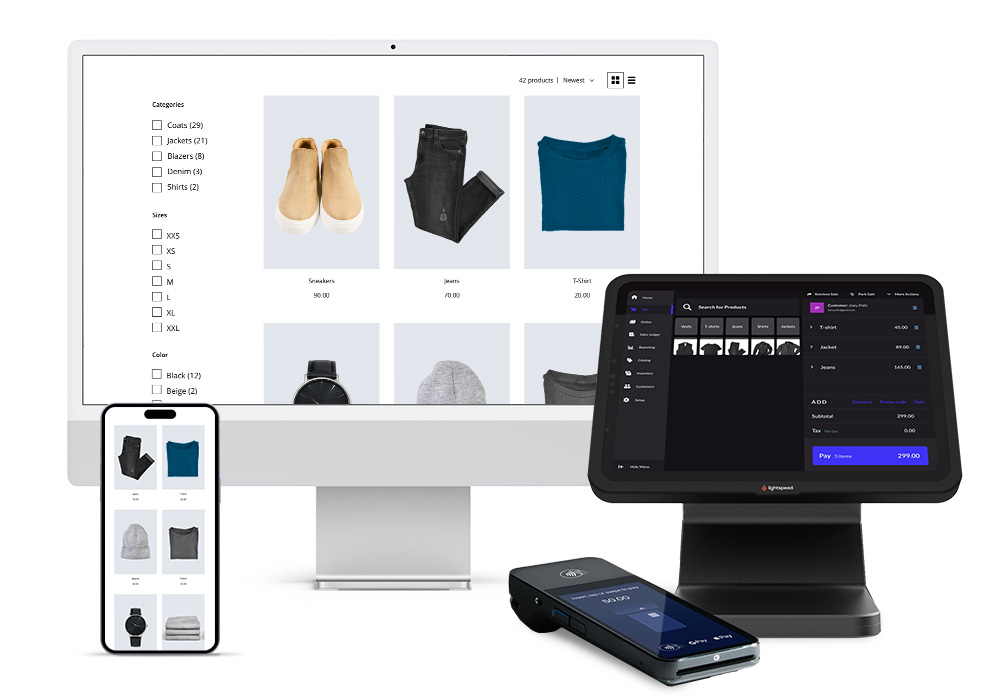
All of this is done from a computer, tablet, or even a mobile phone.
Types of free POS software
There are different types of free POS systems, and knowing them helps you choose the most suitable one:
cloud-based POS
It works via the internet and stores information on external servers. It’s ideal for accessing data from anywhere.
POS installed locally
It installs on a single device and works without a constant internet connection. It’s useful for small businesses with simple operations.
mobile POS
Designed to work on phones or tablets. Very practical for mobile businesses or informal sales.
Each type has advantages depending on the style of business.
First steps to using a free POS
For a beginner, getting started with a POS system may seem complicated, but the process is usually very intuitive.
The basic steps are:
-
Choosing reliable software
-
Create an account
-
Configure basic business data
-
Register products and prices
-
Conduct a test sale
In just a few minutes, the system is ready to use.
Product registration is the foundation of the system
One of the first things you learn when using a POS system is how to properly register your products. This includes assigning clear names, correct prices, and, if possible, categories.
Good record-keeping helps to:
-
Avoid confusion when selling
-
Streamline the collection process
-
Analyze the performance of each product
Although the system is free, the organization depends on the user.
How to record sales correctly
Recording sales is the primary function of a POS system. Each time a sale is made, the system automatically saves the information.
For proper use, it is recommended to:
-
Record all sales without exception
-
Check the total before finishing
-
Check the summary at the end of the day
Consistency is key to obtaining reliable data.
Simple reports: a powerful tool
Many beginners underestimate the value of reports. While free systems often offer basic reports, these are sufficient to understand how the business is performing.
The reports allow you to:
-
View total revenue
-
Identify days with the highest sales
-
Detect popular products
This information helps you make better decisions, even without prior experience.
Common mistakes beginners make
When starting to use a free POS system, it’s normal to make mistakes. Some of the most common ones include:
-
Not recording all sales
-
Setting prices incorrectly
-
Ignoring the reports
-
Do not review saved information
Recognizing these errors early improves the experience and prevents future problems.
Information security and backup
Even though it’s free, a POS system can handle important information. That’s why it’s essential to protect its security.
Good practices include:
-
Use strong passwords
-
Do not share access
-
Perform backups if the system allows it
Data protection is part of responsible management.
Free POS vs. traditional methods
Compared to manual methods, a free POS system offers clear advantages. While a notebook can be lost or damaged, the digital system stores information in an organized manner.
In addition, the POS reduces human error and saves time, allowing you to focus on better serving customers.
When should a beginner consider a paid POS system?
A free POS system is ideal for getting started, but as your business grows, new needs may arise. This usually happens when:
-
Sales volume increases
-
More detailed reports are needed
-
More employees are joining
The advantage is that the user already has experience and can make an informed decision.
Long-term benefits of starting with a free POS
Starting with a free POS system helps develop discipline and organization. Over time, the business becomes more efficient and easier to manage.
Furthermore, learning from scratch allows you to make better use of any future tool, whether free or paid.
Final tips for beginners
To get the most out of free POS software:
-
Use it every day
-
Review the data frequently
-
Keep information up to date
-
Learn from mistakes
Consistency transforms a simple tool into a great ally.
Free POS software is an excellent option for those starting a business who want to work in an organized way without investing money. This guide demonstrates that you don’t need experience or extensive resources to manage sales professionally.
For beginners, a free POS system represents the first step toward more organized, efficient, and scalable business management. Learning to use it from the start can make a significant difference to the success of your business.