Running a retail store can sometimes feel like juggling multiple tasks at once. From maintaining accurate inventory control to managing orders and preventing stockouts, stock management is critical to the success of the business. The right inventory software can streamline these processes, saving time, reducing errors, and improving profits.

This guide will walk you through choosing, installing, and effectively using inventory management software, so your store runs more smoothly and efficiently.
1. Understand the importance of inventory management
Inventory management is not just about counting products. It is essential for:
-
Ensure that the most popular items are always available.
-
Reduce excess stock that ties up capital.
-
Minimize losses due to damaged or expired products.
-
Optimize the supply chain and replenishment times.
Imagine your store during a peak sales season: if your inventory system isn’t updated in real time, you could oversell, disappoint customers, and create operational chaos. A reliable system ensures that every sale and stock movement is recorded, giving you a clear view of your business at all times.
2. Identify your store’s needs
Not all inventory programs are created equal. Before choosing one, consider:
-
Size of your store: Is it a small shop or a chain with several branches?
-
Product variety: Do you handle hundreds of SKUs or just a few main items?
-
Required integrations: Do you need a connection to POS, e-commerce, or accounting software?
-
Budget: Are you looking for free, subscription-based, or one-time payment software?
Understanding these needs will help you select a program that truly fits your business and avoid wasting time or money on tools that don’t meet your purpose.
3. Choose the right inventory program
There are many options on the market, each with its own strengths and limitations. Some examples include:
-
inFlow Inventory: Ideal for small and medium-sized retailers, easy to use, with barcode scanning and stock alerts.
-
Zoho Inventory: Cloud-based, with multi-channel integration, perfect for stores that also sell online.
-
Square for Retail: Focused on POS with built-in inventory management, excellent for boutiques and small shops.
-
QuickBooks Commerce: Ideal for those who need accounting and financial control along with inventory.
The goal is to choose a program that fits your workflow , not the other way around. Take advantage of free trial periods to test its ease of use before making a final decision.
4. Prepare your inventory data
Before installing or using the software, organize your inventory:
-
Categorize products: Group them by type, supplier, or sales frequency.
-
Assign unique codes or SKUs: This ensures that the software correctly registers each product.
-
Verify the counts: Conduct a physical inventory to ensure that the initial data matches reality.
This preparation is essential. Entering accurate information from the start establishes a reliable foundation for reporting and decision-making.
5. Program Installation and Configuration
Once the software has been chosen:
-
Download and install from the official provider’s website.
-
Follow the setup wizard: enter store name, currency, and tax rates.
-
Create users and permissions: assign roles such as manager, cashier, or stock manager.
-
Import your prepared inventory: many programs allow you to upload CSV or Excel files.
-
Configure alerts and notifications: set minimum stock levels, reorder points, and expiration alerts.
Taking the time to properly configure the program ensures that your data is accurate and useful from day one.
6. Train your team
Even the best inventory program will fail if it’s not used correctly. Training is key.
-
Teach staff how to record sales, scan products, and update stock.
-
Define procedures for returns, damaged products, or inventory adjustments.
-
Encourage the team to review daily reports to detect irregularities or unusual movements.
A well-trained team reduces errors and allows your store to operate more efficiently.
7. Use inventory reports to make decisions
Modern programs generate a large amount of data. You can use the reports to:
-
Identify products that sell quickly and need restocking.
-
Identify slow-moving items to avoid excess stock.
-
Evaluate supplier performance and delivery times.
-
Anticipate seasonal demand and plan inventory in advance.
Reports transform your inventory program into a strategic tool, not just a passive record.
8. Integrate your inventory with other systems
An inventory program is most effective when it connects with:
-
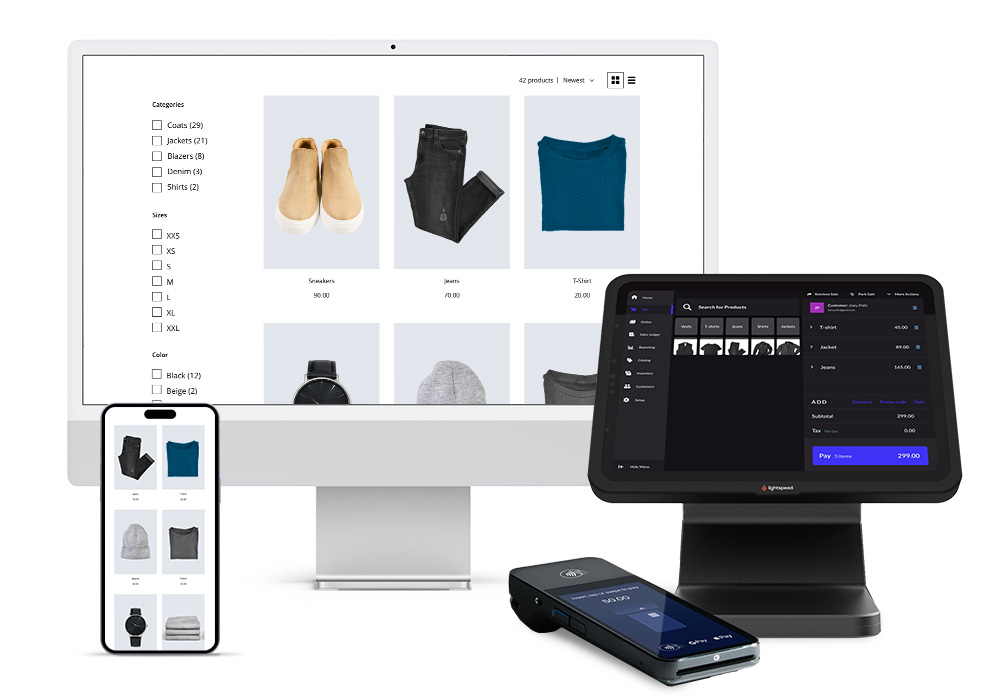
POS Systems: Real-time updates with every sale.
-
Accounting software: Automatic tracking of income, costs and profitability.
-
E-commerce platforms: Synchronize online and physical inventory, preventing overselling.
Integration reduces errors and automates tasks that would otherwise be manual.
9. Maintain and update your program
Inventory management doesn’t end with installation. Keep your software up to date:
-
Audit stock regularly to reconcile discrepancies.
-
Update products, SKUs, or supplier information as needed.
-
Install software updates to take advantage of new features and security patches.
-
Adjust alerts, reorder points, and categories as business needs change.
Regular maintenance prevents major problems and keeps your store running smoothly.
10. Advanced tips to optimize your inventory
-
Use barcode scanning to streamline stock entries and exits.
-
Set up automatic reordering for key products to avoid stockouts.
-
Implement cycle counts: check small sections regularly instead of the entire inventory at once.
-
Analyze historical sales trends to predict future demand.
-
Consider cloud-based solutions: access from anywhere with real-time updates.
These strategies transform inventory management into a proactive, data-driven process, rather than a reactive one.
Inventory management programs are much more than digital spreadsheets: they are the backbone of efficient retail operations. By following this step-by-step guide , retailers can:
-
Control your stock accurately and in real time.
-
Reduce losses due to errors or missing products.
-
Make informed decisions about buying and selling.
-
Free up time to focus on customer experience and business growth.
Success lies in preparation, proper setup, staff training, and consistent use . With the right software, your retail business can run smoothly, respond quickly to demand, and grow sustainably.